I’ve never been a big macOS girl. I’ve always loved Linux and the older versions of Windows will always be special to me, but I wanted to try out the Mac ecosystem sometime around 2017. I had an iPhone, and I had started taking classes at tech school, so it felt like a good investment at the time.
I had a lot of fun with my MacBook for a few years. It served its purpose as a school machine, let me connect with my phone easily, and had great support for the stuff I cared about using at the time. But sometime around 2020 the battery started to give and I never really cared enough to replace it. I had dropped out, I wasn’t reliant on it, and it was already showing its age.
A few years later, I get an idea. “This thing doesn’t have to be a Mac…” An $80 iFixit repair kit and an admittedly unintuitive-for-my-Linux-brain install later, the BSDBook was born.
Introduction to this machine, and to OpenBSD
The BSDBook is, and will always be, a fun side project to tinker with. I’m a disabled girl who rarely leaves the house, so I have little practical use for a laptop, but I think that’s what makes this project special to me. It’s a deliberately non-serious, experimental object that I have been having a lot of fun with.
OpenBSD has a bit of a learning curve, but I gotta say, it kinda seems like the BSDs have their shit together a little more than Linux does. I recommend checking out this blog post if you’re interested in the differences between the two ecosystems; it helped me understand a lot of the core design decisions that make the BSDs so different from a Linux system. A key concept, and one that you’ll notice in daily use, is that the BSDs (OpenBSD especially, more on that later) draw a very clean line between the core system and the additional packages. This doesn’t really happen in Linux, unless you consider the modern advent of the Atomic Desktop, and it makes the BSD experience feel simultaneously more robust and fucking annoying to use.
Apps so commonplace you’d never think to check whether they exist? Not available, too insecure. All the Linux commands you’ve embedded into your muscle memory for a decade? (Mostly) useless; keep a cheat sheet handy. It’s not the worst migration, but it takes some getting used to, and it takes a real shift in mindset to get comfortable.
I truly don’t think I can break this machine, and my silly ass hasn’t been able to say that about a Linux system I’ve run over the past decade. Sure, some distros may have more guardrails than others, but there is no hard line in the sand for don’t touch this. On OpenBSD, that line is literally drawn between two commands. pkg_add -u updates what lives on top of the OS. sysupgrade, the much more rarely run command, is what touches the OS itself. The base system isn’t updated until the devs confirm that all of it works together seamlessly.
On OpenBSD, I interact with the core system. I edit the Wi-Fi configuration and make sure my firmware is up to date, but I don’t modify it. I’m sure you can, but I frankly don’t see a need to.
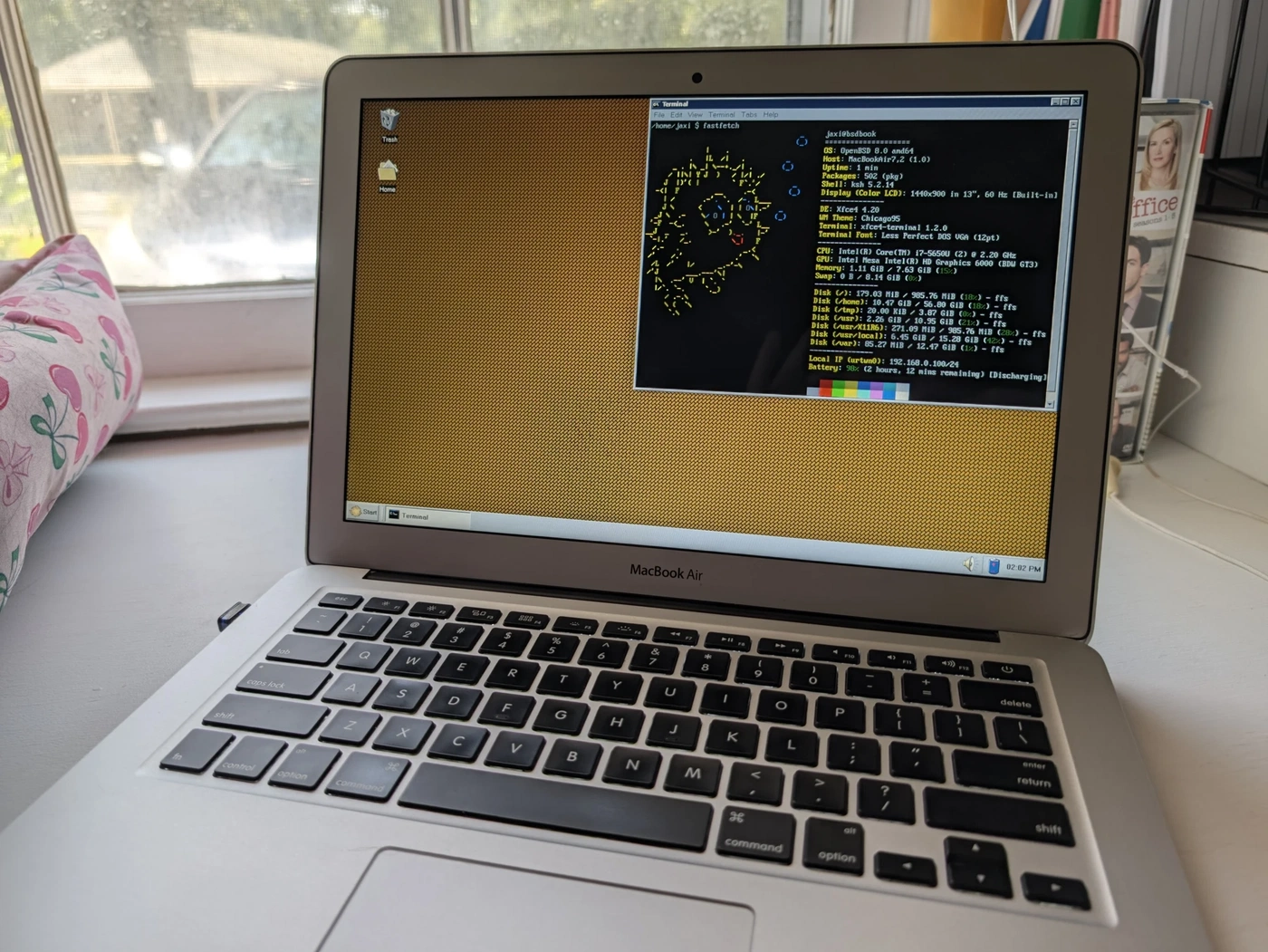
Hardware compatibility
Actually quite good, with one big asterisk. The trackpad works great: two-finger scroll works, the scroll direction is configurable, and clicking in the bottom right registers as a right-click too. Fn+function keys work perfectly for brightness and volume. The audio works fine, both through speakers and headphones.
Now the asterisk: the internal Wi-Fi card just isn’t supported. During setup, I used my Android phone with USB tethering for internet. I now use a cheap USB Wi-Fi adapter. It works fine, but there’s no 5 GHz band support. Also, worth mentioning, adjusting the keyboard backlight seems completely broken as of OpenBSD 7.9. I haven’t submitted a bug report yet, but I intend to.
The security mindset, and how software works on OpenBSD
I’ve picked up on a vibe amongst developers that the OpenBSD team is a bit hostile, or nitpicky. Especially from devs who might not be familiar with the OpenBSD port process, or treat compatibility with BSD systems as an afterthought. I don’t think this criticism is entirely fair, but at the same time, I understand where the critics are coming from. OpenBSD is a server operating system that happens to also function as a desktop. We’ve been here before, plenty of us daily drive Debian, but this is a bit different.
It can, at times, feel like the OS is actively trying to stop you from having a normal computing experience, and honestly, I can see why some end users might have an issue with this. But remember, what this project is to me, and always has been, is a tinkering machine. Something for fun, something to learn with, something to do things I would never have tried before.
Ports are the applications not included in the base system. Community-maintained, obsessively catalogued, and inconsistently robust, ports make OpenBSD. This is where the software stack I use comes from. The ports tree carries the security-focused mindset and will never accept Electron apps or the like.
My personal software stack
- QOwnNotes: A drop-in replacement for Obsidian (for my relatively minimal use case). Handles folder view, editing, viewing, live preview. It’s awesome. Check out my shell scripts for a cute solution for syncing the two apps across devices.
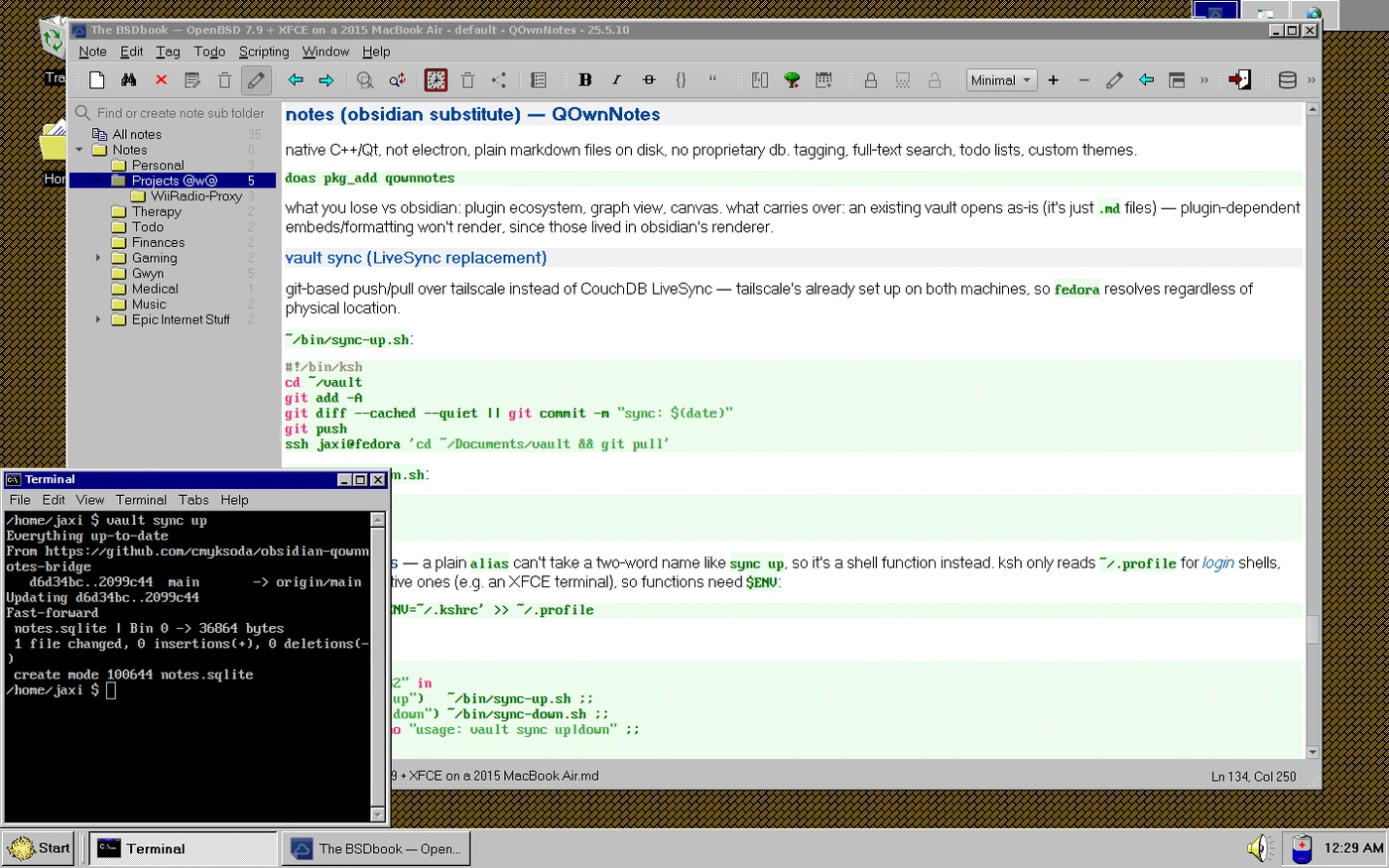
QOwnNotes, with a terminal showing my syncing process. - Abaddon: A lightweight GTK Discord client. A bit annoying to set up, with a UI that I don’t love, but it’s nice to have.
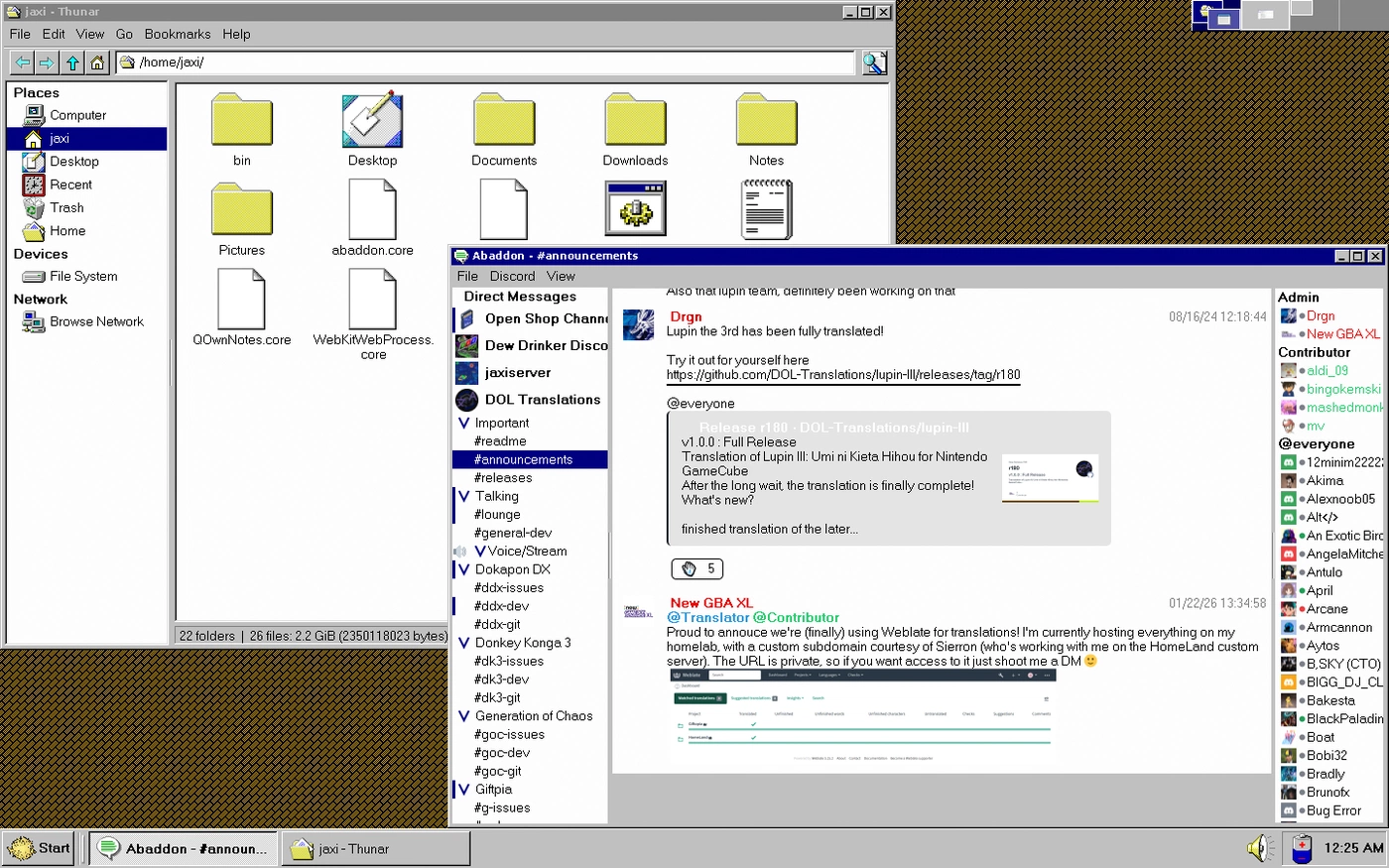
Abaddon and Thunar - Geany: A lightweight IDE. No serious dev work happens here, but it’s a nice GUI when I don’t want to use Vim.
- LibreWolf: As of writing, only in
-current, OpenBSD’s development branch. A great Firefox fork that fits in with the general security-focused vibe of OpenBSD. - Ren’Py: Gaming is a real weak spot for this OS, but that’s okay. It’s just not what it’s for. Nevertheless, Ren’Py was removed from ports a few months back and I’ve been working on trying to get it back in. Visual novels run great on my setup. The one caveat: no Live2D support, probably forever (proprietary software, grrrrr…).
- GIMP and the bundled Xfce apps: These need no introduction. Image manipulation is a necessity for me, and the Xfce apps work great.
DE and theming
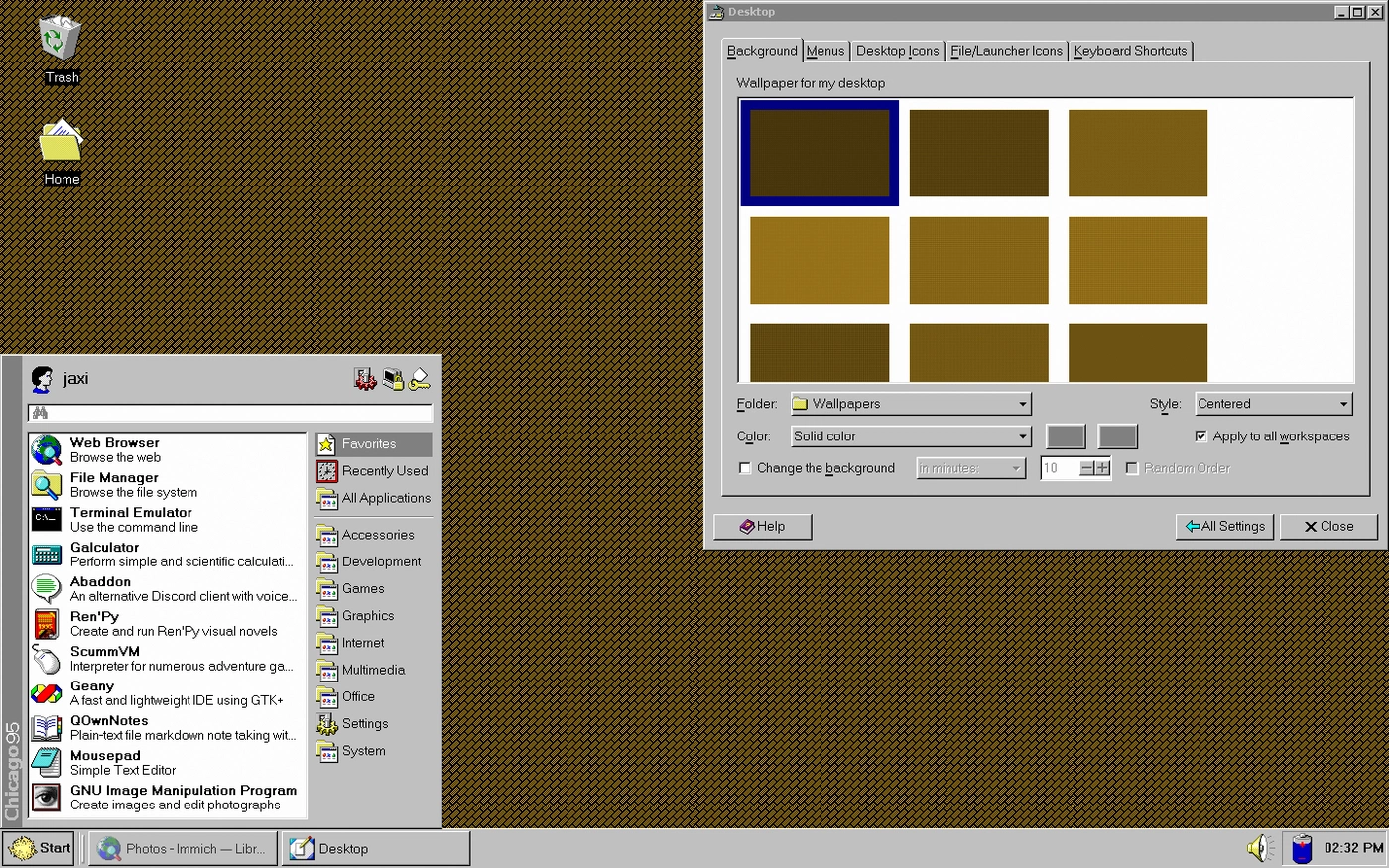
Xfce and Chicago95. That’s mostly it. I use the stock apps because I am of the opinion that if I’m using a Desktop Environment over a Window Manager, I want to see what the devs have been working on, to get the full experience.
I haven’t used Xfce since I was in middle school, and it’s largely the same, which isn’t a bad thing. It’s fast, themeable, and nice to use on a laptop. In addition to base Chicago95, I forked, then submitted a PR, then got the changes merged to get Puffy (the sassy pufferfish mascot of OpenBSD) in the start menu. I use it, you can use it too.
The only other “theming” I’ve done is the wallpaper(s). I’ve taken all of the half-transparent 8x8 patterns from Windows 95, tiled them, and made them pleasant to my eyes. ImageMagick, bless them, made this very easy. Feel free to copy this template (this is ImageMagick 6.9 syntax, as shipped in OpenBSD ports):
mogrify -size 1440x900 -fill '#HEXCODE' -opaque black tile:*.png
Closing thoughts
This has been a really fun project, and I’m not quite done with it. I’ve been procrastinating on getting Pure Data set up for music production; it suits the tinker-y, messy flow that this machine has. As for the Wi-Fi card, I’ve heard tales of others swapping the included Wi-Fi card for a supported model. Highly interested in that.
Keep messing with your technology. Reject the concept of e-waste. You can have fun with even what seems useless to you right now.